Overview
A support desk inside your Filament panel for the aparté chat on your site. Your team sees the conversations your visitors have with your AI assistant. Someone takes one over, answers under their own name, and hands it back to the assistant.
It sits on top of the free apartejs/laravel package, which
carries the chat, the agent and the takeover plumbing. This package is the screen your team works in.
Live demo, pricing and docs: desk.apartejs.dev/filament.
What it does
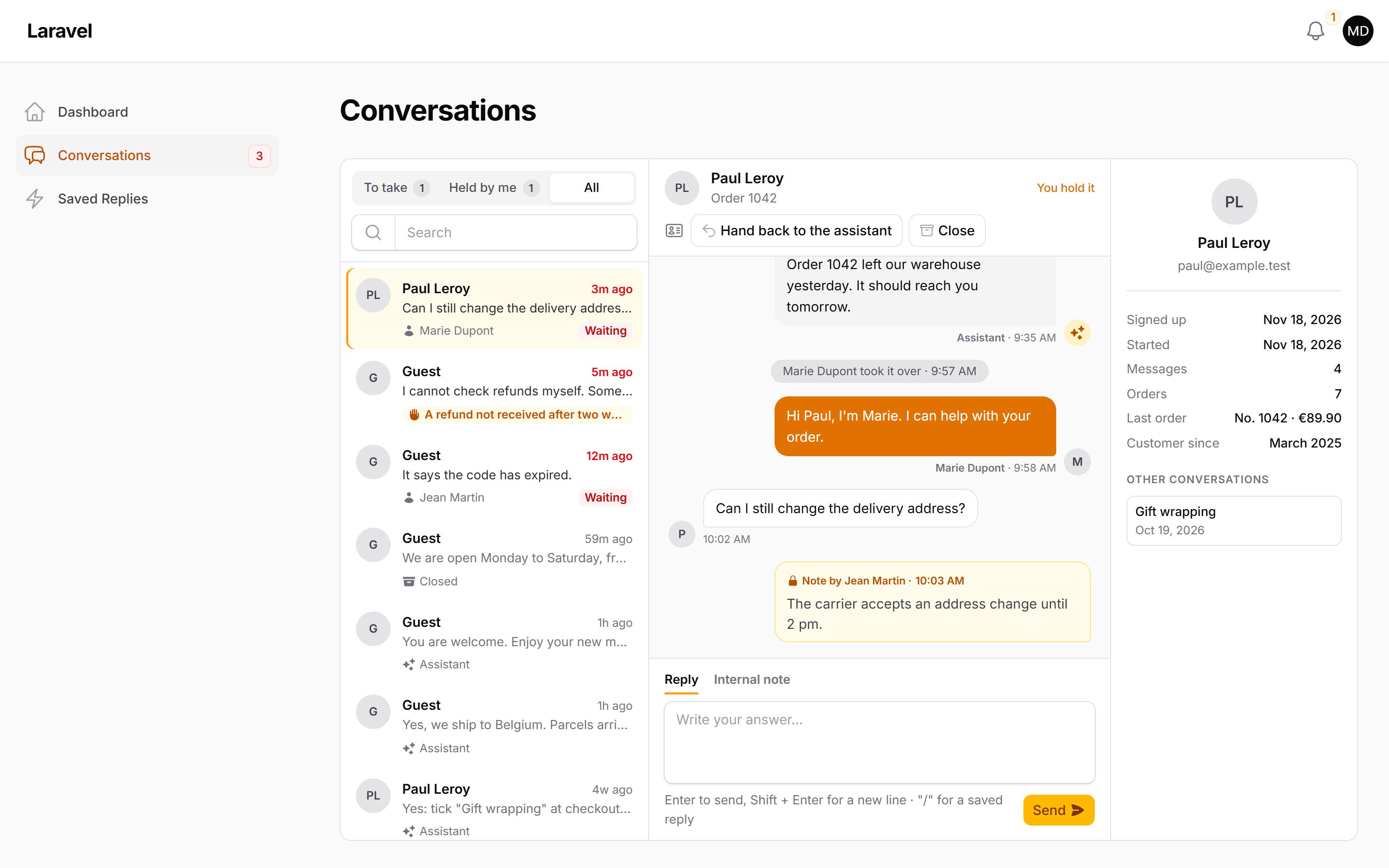
Section titled “What it does”- One screen, as in a support inbox: the conversations on the left, the one you open on the right. Each row shows the visitor, the last message and when, who answers it, and whether the visitor is waiting. Three tabs: To take, Held by me, All. A search box finds a conversation by its title or by anything said in it.
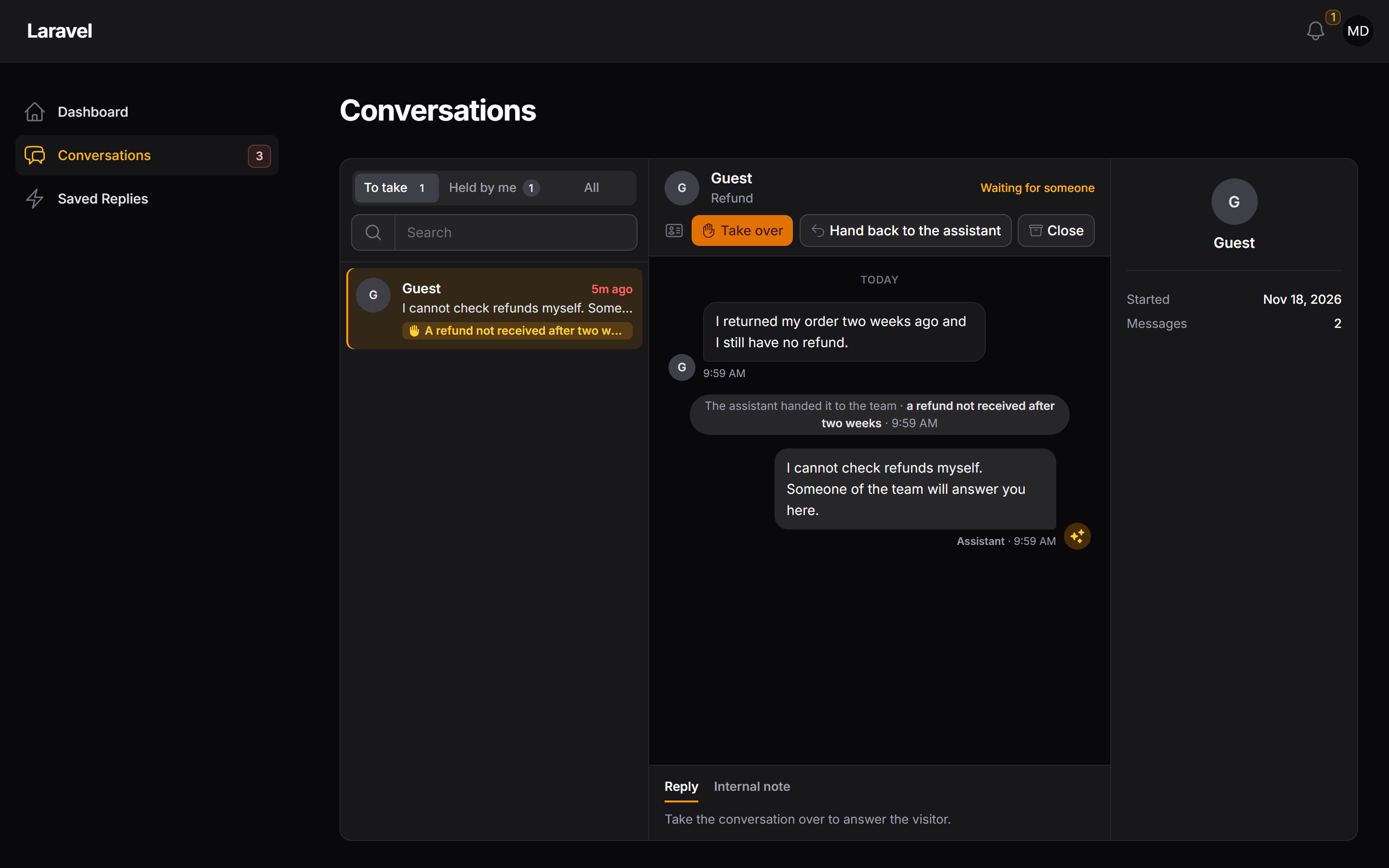
- Hears the assistant hand over: when the visitor asks for a person, or the assistant cannot help, it hands the conversation to your team with a reason (“a refund not received”). The conversation waits under To take, and everyone on the team gets a notification.
- Opens one: the whole conversation, with the visitor, the assistant, your team under their names and pictures, and what happened in it (handed over, taken over, closed).
- Takes it over: the assistant goes quiet, and the visitor’s chat says “Marie joined the conversation”.
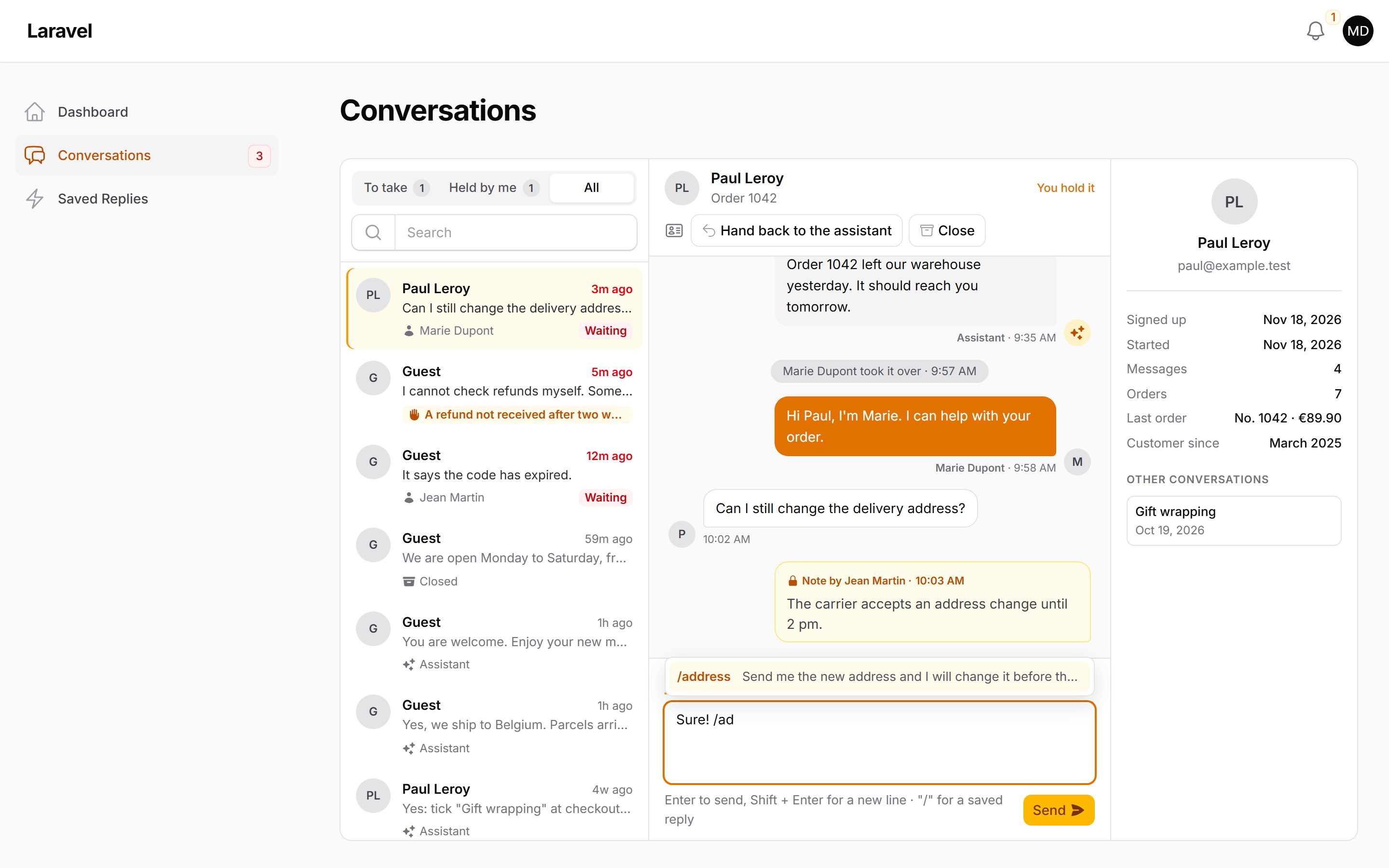
- Answers: you write, the visitor reads it under your name. Type ”/” to insert a saved reply, an answer your team writes once in the panel.
- Gives a conversation to a colleague (“Assign to…”): they hold it, the visitor reads that they joined, they get a notification, and the conversation says who gave it.
- Leaves notes for the team: an internal note in the conversation, which the visitor never sees and the assistant never reads.
- Shows who the visitor is, beside the conversation: their name, email and account, their other conversations, a link to their page in your panel, and whatever your app adds (their orders, their plan).
- Marks what you read: “Read by Marie” appears under the visitor’s messages when you open the conversation, and under new ones as they arrive.
- Hands it back: the assistant answers again, having read everything that was said.
- Closes it, when you are done: the visitor reads that it is closed, and nothing is deleted.
- Asks the visitor how it went, when you close a conversation your team took part in: 👍 or 👎 in their chat, and their answer shows in the conversation.
- Counts: a Desk statistics page, over 7, 30 or 90 days: the conversations that started, those handed to your team, how long one waited before someone took it, how satisfied the visitors were, and the conversations a day. The same figures can go on your dashboard.
- Tells you something is waiting: a number on the menu item, a notification to the team when the assistant hands a conversation over, and one to you when the visitor writes in a conversation you hold.
The list and the open conversation refresh themselves every few seconds. No extra server is needed.